![help_logo.png]](https://help.spirinc.com/hs-fs/hubfs/help_logo.png?height=34&name=help_logo.png)
Priority Allocation for Participants
Unlike standard templates, which schedule between the organizer and the guest, delegated templates introduce an intermediary party (the delegate).
- The organizer sets their recurring or preset availability, like their weekly schedule
- The delegate chooses multiple dates they are available
- The guest chooses the final date
A typical use case could be in a channel sales model, where the vendor (the organizer) and a reseller/distributor (the delegate) schedule a joint sales call to the client (the guest).
Getting started
Create
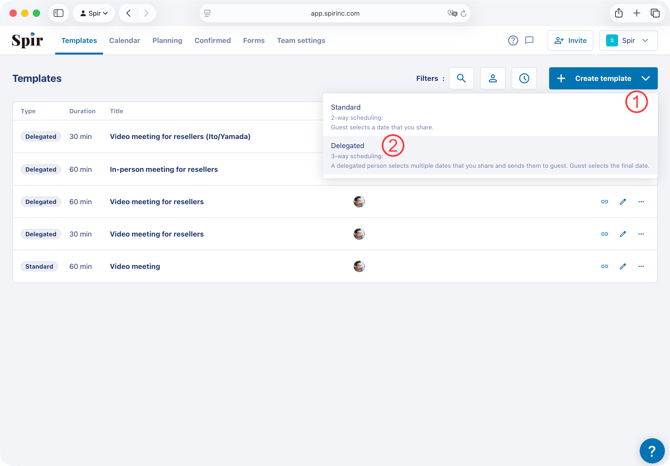
- Click the "+ Create Template" button in the upper right corner of the "Template" page and select "Delegated".
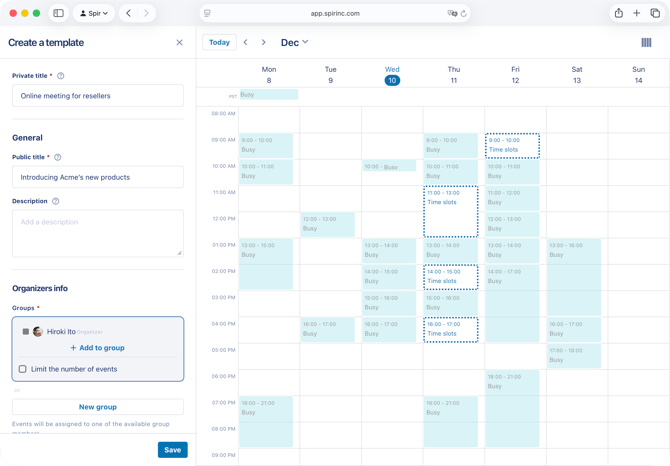
- Set the availability for the template and click save. (You can set availability in the same way as a standard template.)
Share
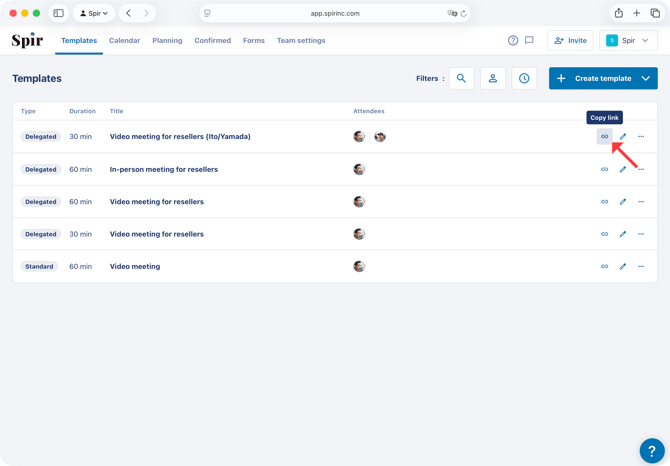
- Copy the link from the template list and share it with the delegated person (the delegate).
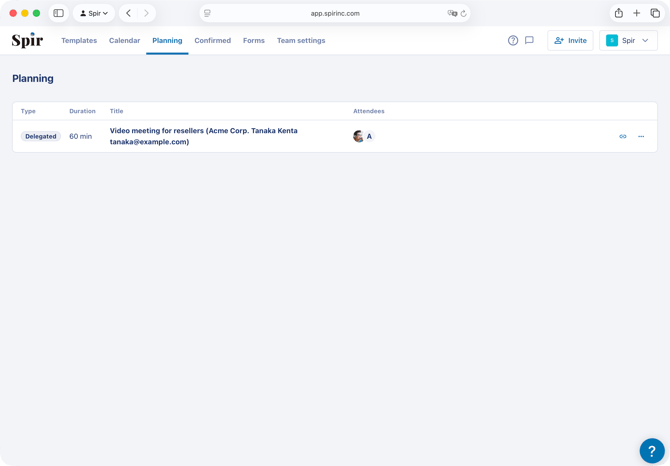
- When the delegate narrows down the possible dates, all participants will be notified by email, and the event will appear on the "Planning" page. If you want to check the narrowed-down dates or share the event with another person, copy the link displayed in this list.
- When the delegate passes down the dates to the guest and the guest finalizes the date, the confirmed date will appear in "Confirmed" page, and all participants will be notified again.
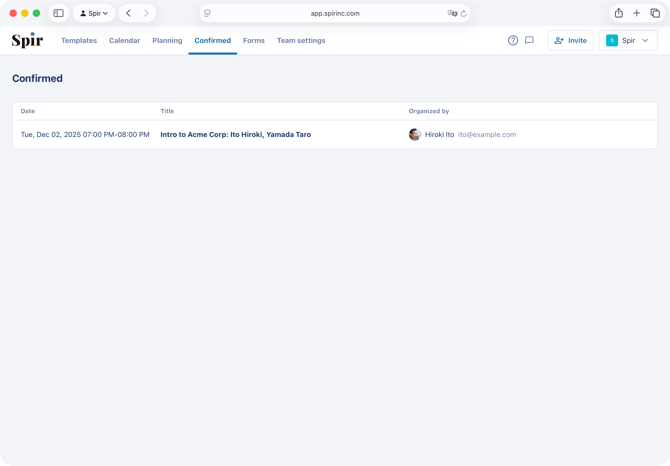
The delegation process
- When the delegated person accesses the template, they will see the your available dates. They select the dates they are available and click Next.

- Next, they enter their name and email address as contact information and click Done.
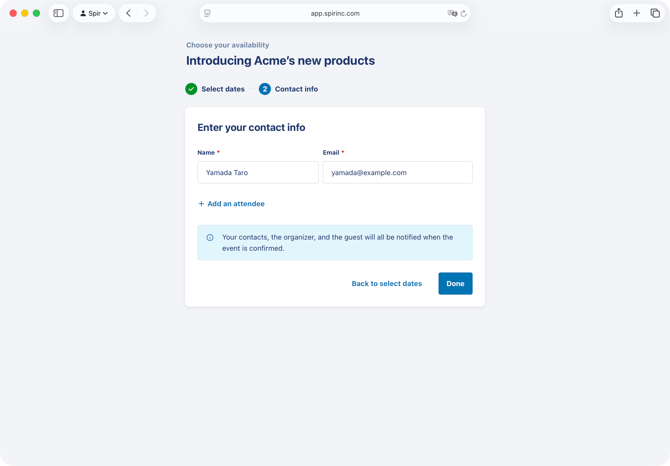
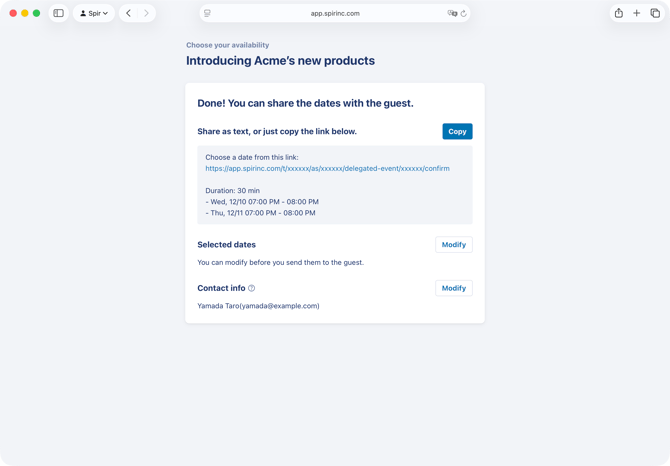
- A new scheduling link for the selected dates will be issued, and the delegate will be prompted to share it with the guest, who will then finalize the date. If you want to change the selected dates or contact information, you can do so by clicking “Modify" (note that this is only possible before the date has been finalized by the guest.)
Frequently asked questions
-
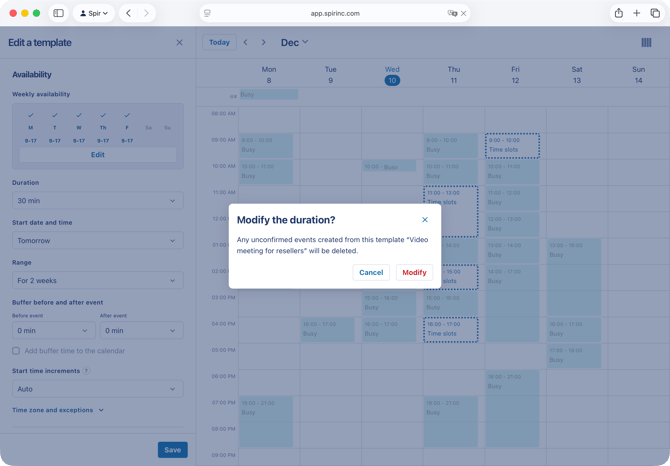
What happens if I change the event duration after delegating?
Any dates the delegated person selected will be cleared. They will need to reselect date and create a new guest-facing link.
-
What happens if I change the attendees or my own availability after delegating?
For availability, only removed time slots will take effect; added time slots will not. For attendees, it will take effect if you add a new attending group with an AND condition, or if you remove an existing group with an OR condition.
-
Can I change event details other than date and time?
Yes, you can make changes to the event other than its date and time, including event title, notes, video calls, forms, etc. after delegating.
-
Is it possible to cancel a confirmed event?
Only the organizer (and team members scheduling on behalf of them, if applicable) can cancel an event after it has been confirmed.